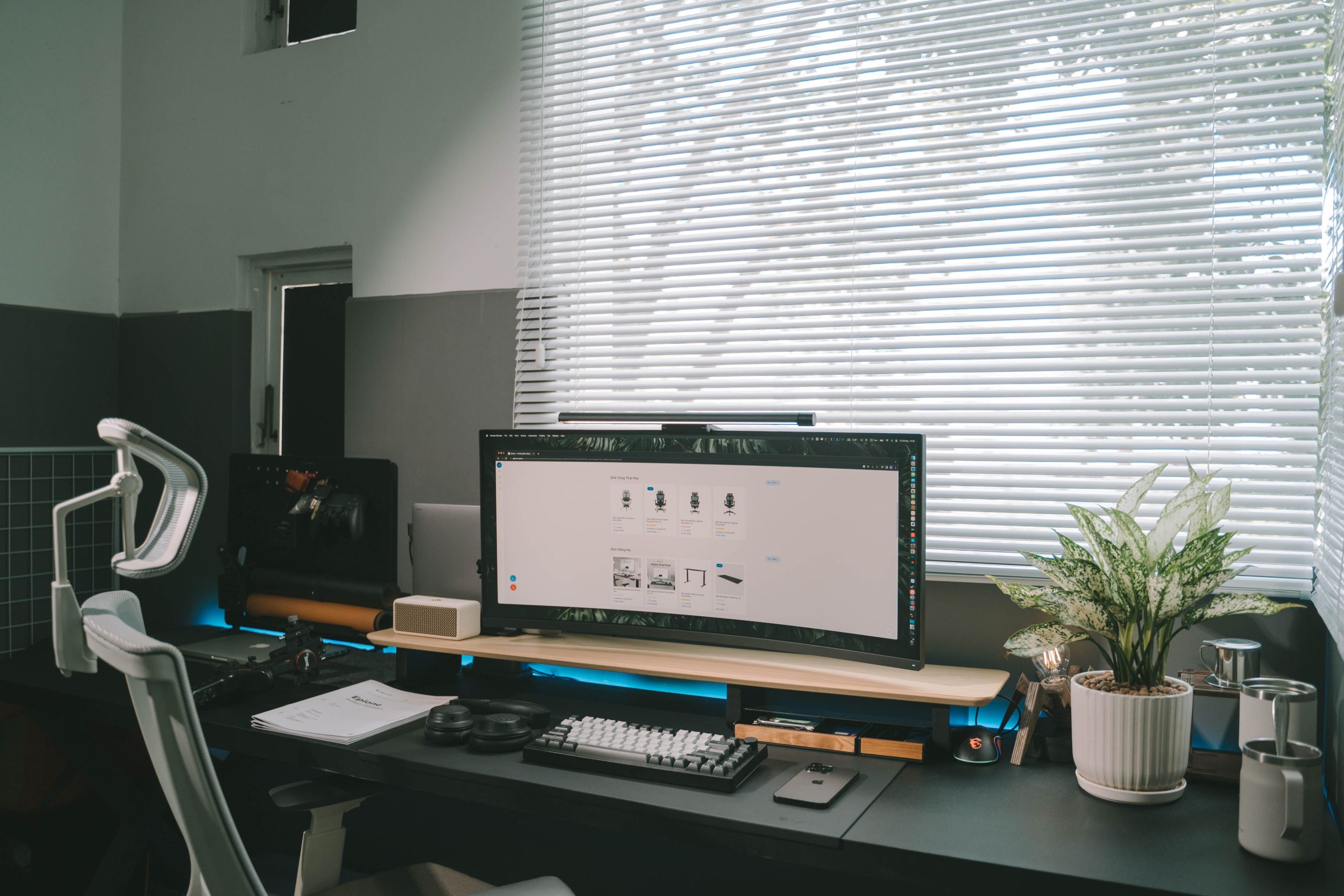
Best Monitors for a Cleaner Desk Setup
A good monitor can completely change how your desk setup feels. It gives you more screen space, makes work easier, and can make your workspace look much cleaner than using a laptop screen alone.
The right monitor depends on how you use your desk. A simple 24-inch monitor is good for basic setups, a 27-inch QHD monitor is the best value for most people, an ultrawide monitor gives you a cleaner multitasking setup, and a USB-C monitor is ideal if you use a laptop every day.
Quick Picks
If you want a simple, trusted-brand monitor for a basic desk setup, choose the Dell 24-inch Full HD Monitor.
If you want the best value monitor for most people, choose the LG 27-inch QHD Monitor.
If you want the biggest desk setup upgrade, choose the Samsung 34-inch Ultrawide Monitor.
If you use a laptop and want fewer cables, choose the Dell 27-inch USB-C Monitor.
| Pick | Best for | Why choose it |
|---|---|---|
| Dell 24-inch Full HD Monitor | Simple setups | Trusted brand, compact size and easy to fit on most desks |
| LG 27-inch QHD Monitor | Most people | Better screen space, sharper resolution and strong value |
| Samsung 34-inch Ultrawide Monitor | Multitasking | Wide curved screen that can replace a dual-monitor setup |
| Dell 27-inch USB-C Monitor | Laptop users | Cleaner cable setup and better for laptop-based workspaces |
Best Simple Pick: Dell 24-inch Full HD Monitor
The Dell 24-inch Full HD Monitor is the best simple pick if you want a reliable screen from a trusted brand. It is a good upgrade from a laptop screen and works well for basic home office tasks, studying, browsing, writing and everyday productivity.
The main reason to choose this monitor is simplicity. The 24-inch size is easy to fit on most desks, it does not feel oversized, and it gives you a proper desktop screen without making the setup complicated.
This is also a sensible option if you want a second monitor or a straightforward screen for a smaller workspace. It is not the most exciting monitor in this guide, but it is a safe and practical choice for a clean, simple setup.
Best for: basic home offices, students, smaller desks and simple productivity setups.
Best Value Pick: LG 27-inch QHD Monitor
The LG 27-inch QHD Monitor is the best value pick for most people. A 27-inch screen gives you noticeably more room to work than a smaller 24-inch monitor, while QHD resolution gives you a sharper and more useful workspace than standard Full HD.
This is the monitor size I would recommend to most people building a cleaner productivity setup. It gives you enough space for documents, browser tabs, spreadsheets, project tools, notes and research without feeling cramped.
It also works well with a monitor arm, which helps free up desk space and makes the setup look cleaner. If you only want one monitor and want the best balance of size, clarity and value, this is the pick I would focus on.
Best for: everyday productivity, home offices, single-monitor setups and people who want the best value upgrade.
Best Ultrawide Pick: Samsung 34-inch Ultrawide Monitor
The Samsung 34-inch Ultrawide Monitor is the best pick if you want a bigger, cleaner and more premium-feeling desk setup.
An ultrawide monitor can be a great alternative to using two separate screens. Instead of having two monitors, two stands and more visible cables, you get one wide display that gives you lots of workspace in a cleaner layout.
This is especially useful if you like having multiple windows open at once. You can keep a browser on one side, notes or documents on the other, or have email, project tools and research visible without constantly switching tabs.
The curved screen also makes sense at this size. On a wide monitor, the edges of the screen sit further away from your eyes. A curved display brings the sides slightly towards you, which can make the screen feel more natural to look across. It also makes the desk setup feel more focused and immersive.
This is the monitor I would choose if you want your desk to feel like a proper productivity station rather than just a basic workspace.
Best for: multitasking, wide desk setups, productivity work and replacing a dual-monitor setup.
Best USB-C Pick: Dell 27-inch USB-C Monitor
The Dell 27-inch USB-C Monitor is the best pick if you use a laptop as your main computer and want a cleaner desk setup.
The main benefit of a USB-C monitor is convenience. Instead of running separate cables for display, charging and accessories, a USB-C monitor can help reduce cable clutter and make the setup easier to use every day.
This is ideal if you dock a laptop at your desk. You can sit down, connect one cable, and use a larger screen for proper work. That makes it a strong option for home offices, hybrid workers and anyone who wants a more polished laptop-based workspace.
It costs more than a basic monitor, but the value is in the cleaner setup, fewer cables and easier daily use.
Best for: laptop users, hybrid workers, premium home offices and cleaner cable setups.
Which monitor should you choose?
If you want a simple and reliable screen for a basic setup, choose the Dell 24-inch Full HD Monitor.
If you want the best monitor for most people, choose the LG 27-inch QHD Monitor. It gives you the best balance of screen size, sharpness, practicality and value.
If you want the biggest visual upgrade, choose the Samsung 34-inch Ultrawide Monitor. It gives you a wider workspace, helps reduce the need for two separate screens, and makes the desk feel much more premium.
If you use a laptop every day and want fewer cables, choose the Dell 27-inch USB-C Monitor.
Quick Comparison
| Pick | Best for | Why choose it |
|---|---|---|
| Dell 24-inch Full HD Monitor | Simple setups | Reliable, compact and easy to fit on most desks |
| LG 27-inch QHD Monitor | Most people | Best balance of size, sharpness and value |
| Samsung 34-inch Ultrawide Monitor | Multitasking | Wide curved screen that can replace two monitors |
| Dell 27-inch USB-C Monitor | Laptop users | Cleaner setup with fewer cables |
Final Recommendation
If you want the safest simple option, choose the Dell 24-inch Full HD Monitor.
If you want the best monitor for most people, choose the LG 27-inch QHD Monitor.
If you want the most noticeable desk setup upgrade, choose the Samsung 34-inch Ultrawide Monitor.
If you want the cleanest laptop-based setup, choose the Dell 27-inch USB-C Monitor.
Final Thoughts
A monitor is one of the most important upgrades you can make to a desk setup. It affects how much space you have to work, how clean the desk looks and how comfortable the setup feels over time.
For most people, a 27-inch QHD monitor is the best value choice. It gives you more space and sharper detail without needing a huge desk.
But if you want the biggest setup upgrade, an ultrawide monitor is the one that changes the whole feel of the workspace. It gives you a wider, cleaner and more premium-looking setup, especially if you want to reduce the need for multiple screens.
Related Guides
If you are improving your full desk setup, you may also find these useful:
- Best monitor arms for a cleaner desk setup
- Monitor arm vs monitor stand: which is better for your desk setup?
- Best laptop stands for a cleaner desk setup
- Best cable management ideas for a cleaner desk setup
- Best desk lamps for a cleaner and more productive setup
- Best desk accessories for a cleaner workspace
- Best home office setup ideas for a more productive desk
Disclosure: This page may contain affiliate links. If you buy through these links, we may earn a commission at no extra cost to you.